
OpenUSD: Don’t Worry About It!
This is a lightning talk I gave at the Blender Conference 2026. Below the video is the text version.
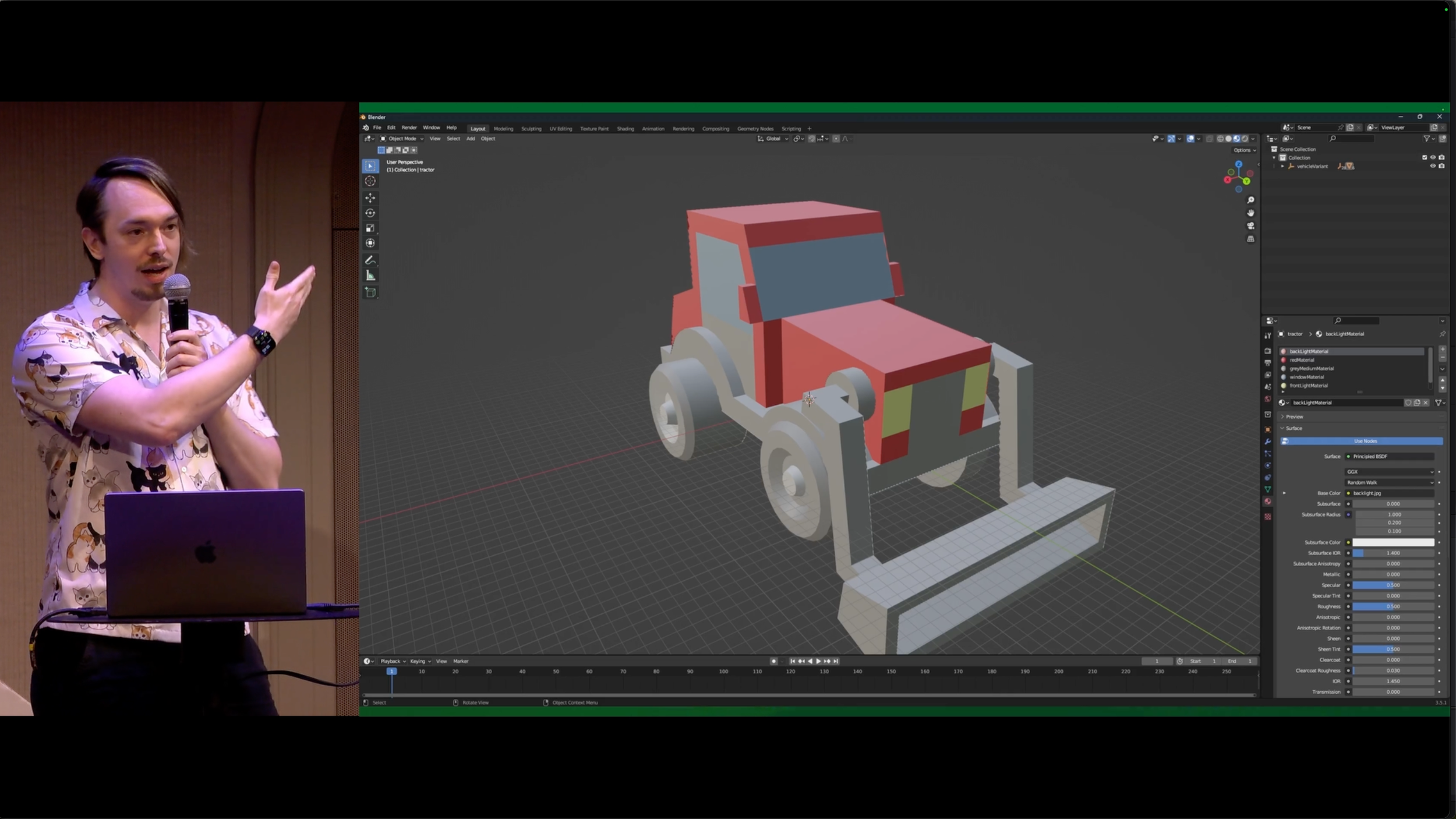
This is a USD file in Blender.
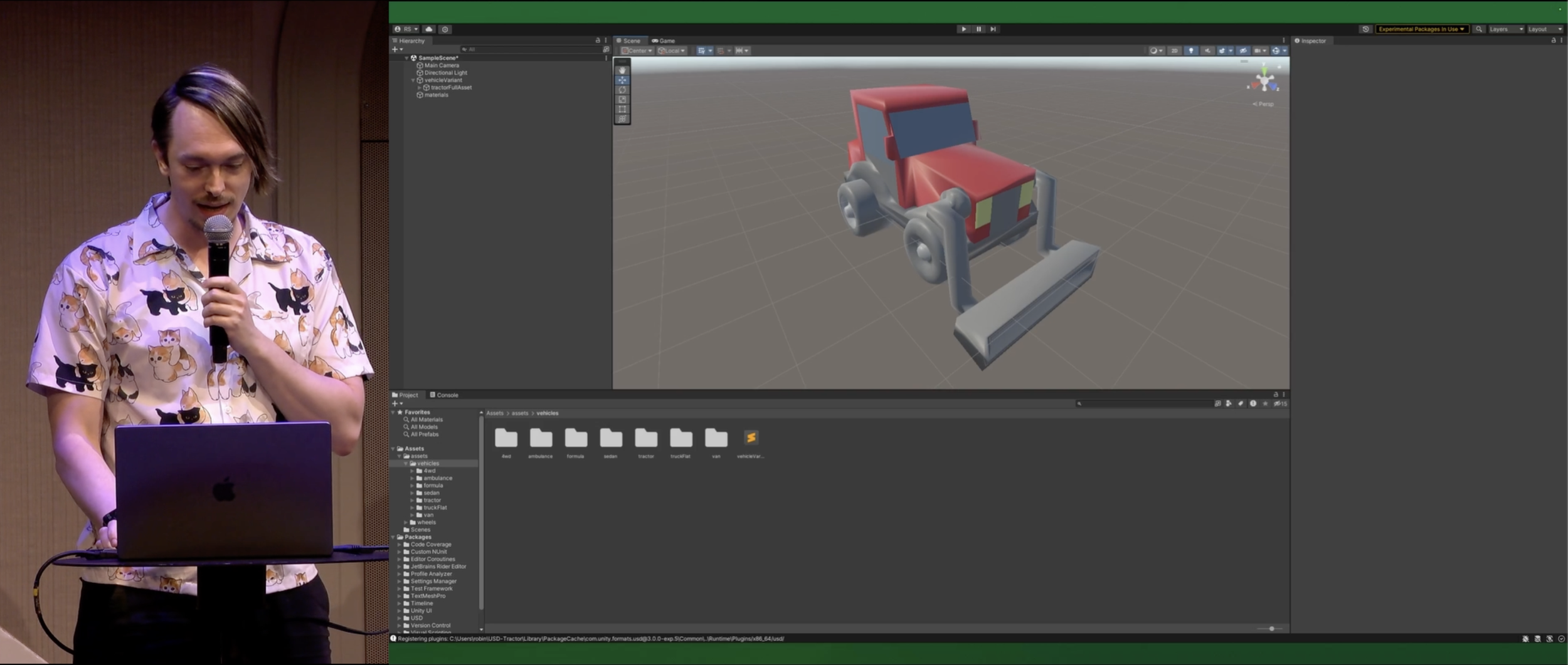
And here it is in Unity.
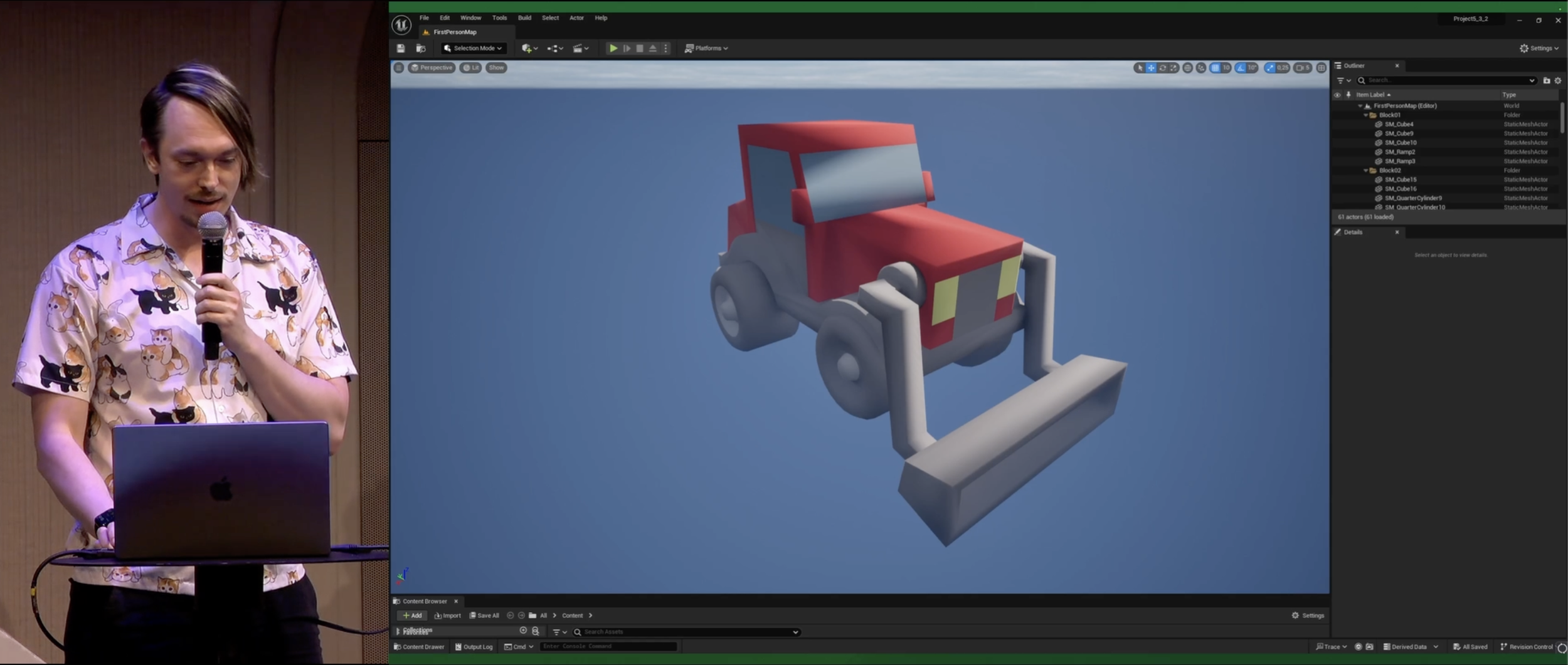
And here it is in Unreal.
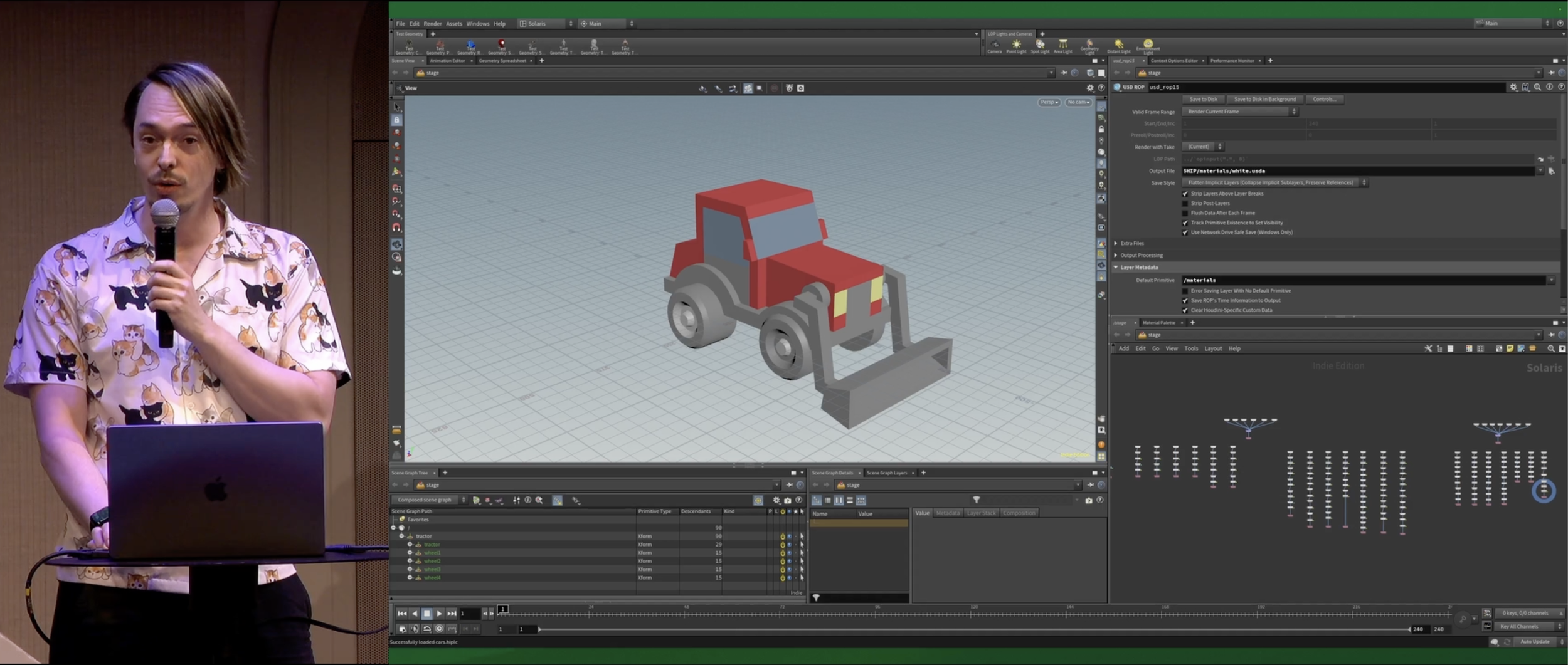
And here it is in Houdini.
And here it is in 3ds Max.
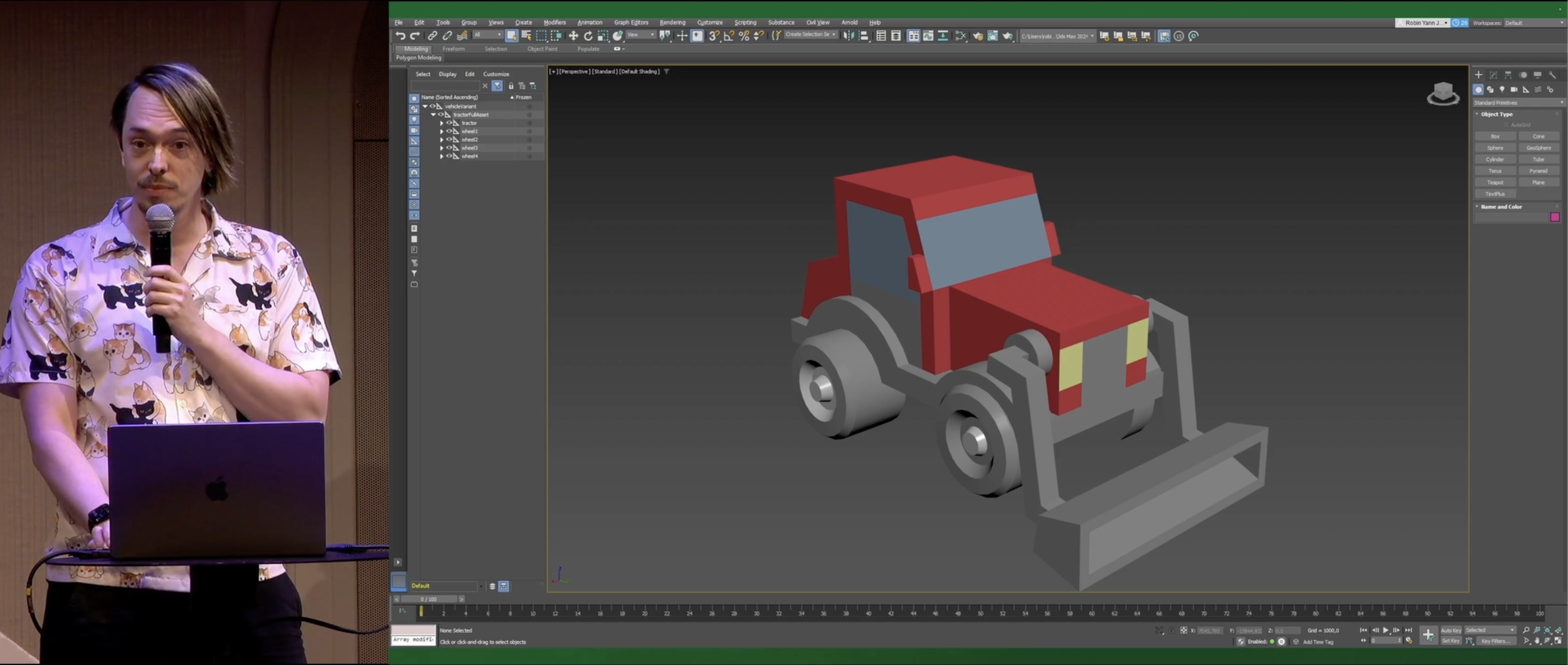
And here it is in Maya.
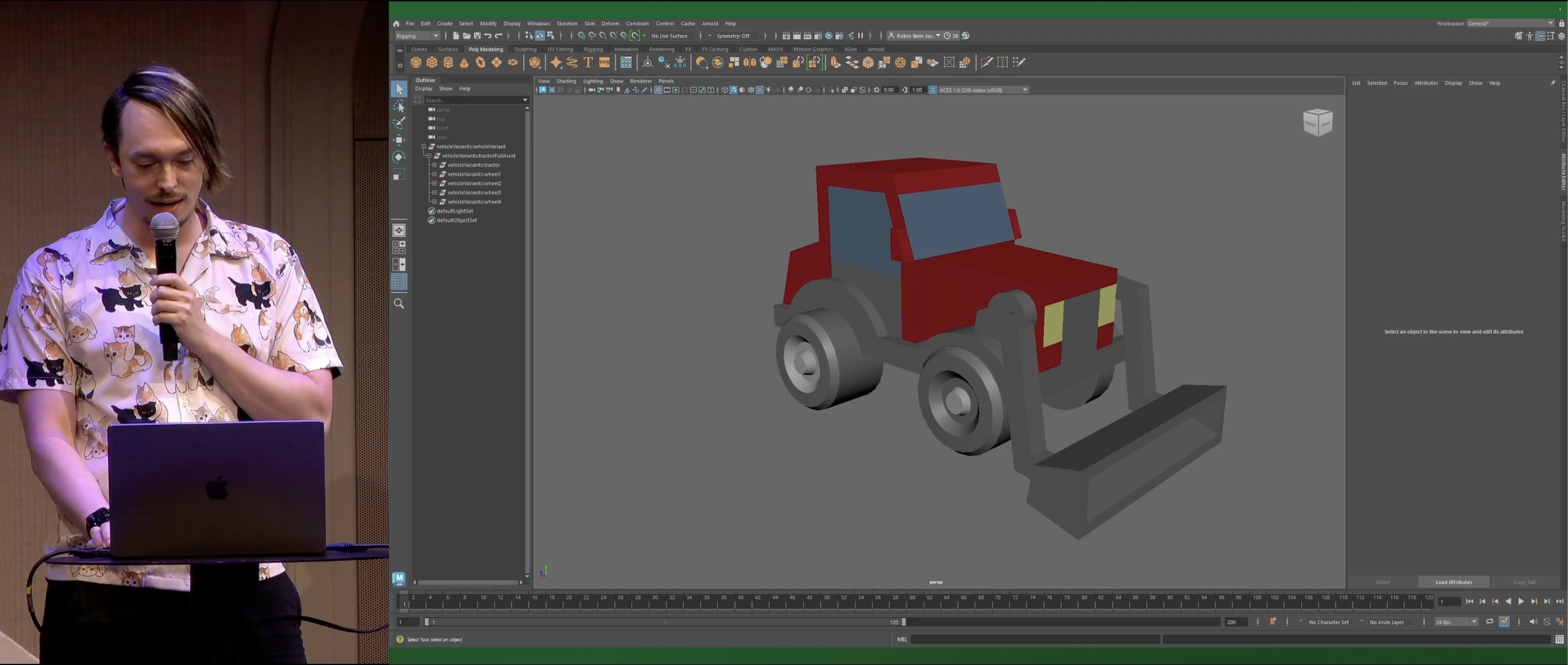
And here it is in Godot. (Woo, Godot!)
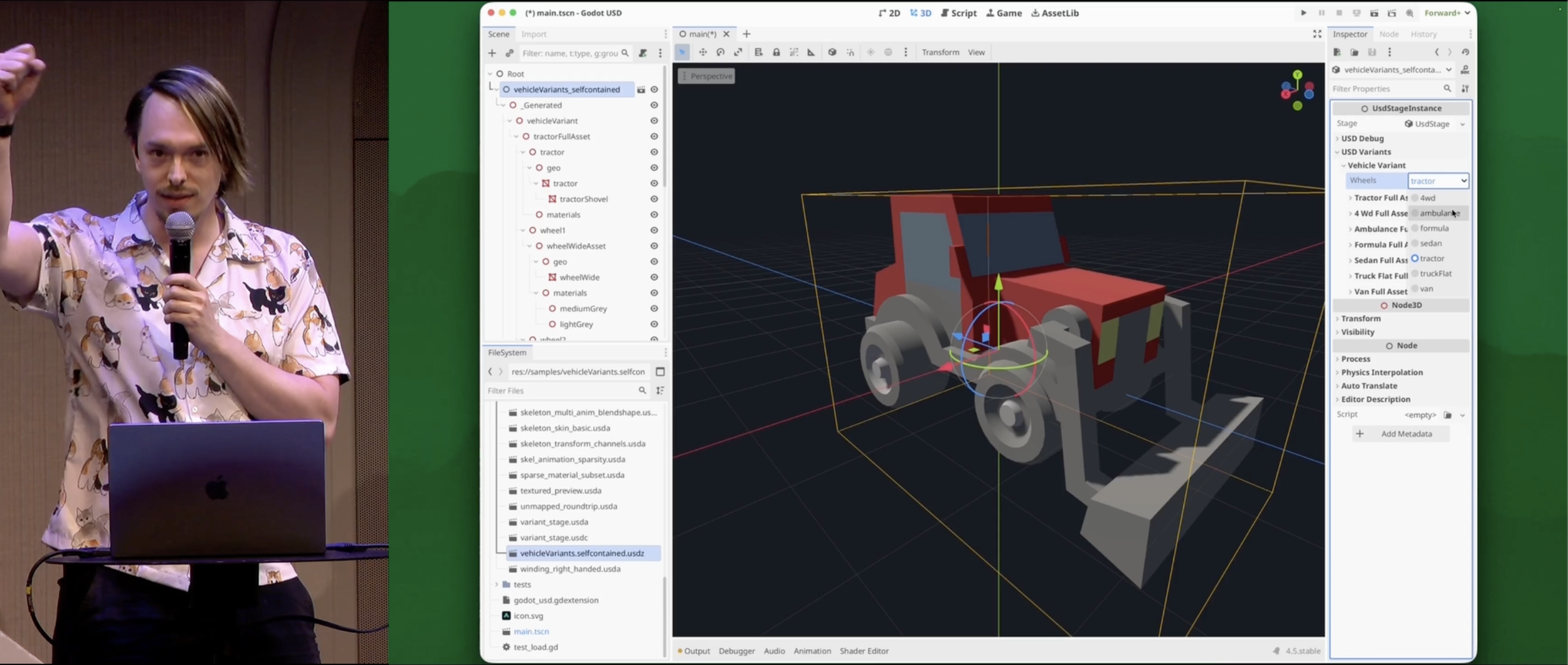
And here it is in DaVinci Resolve! Yes, even DaVinci Resolve has the ability to import USD.
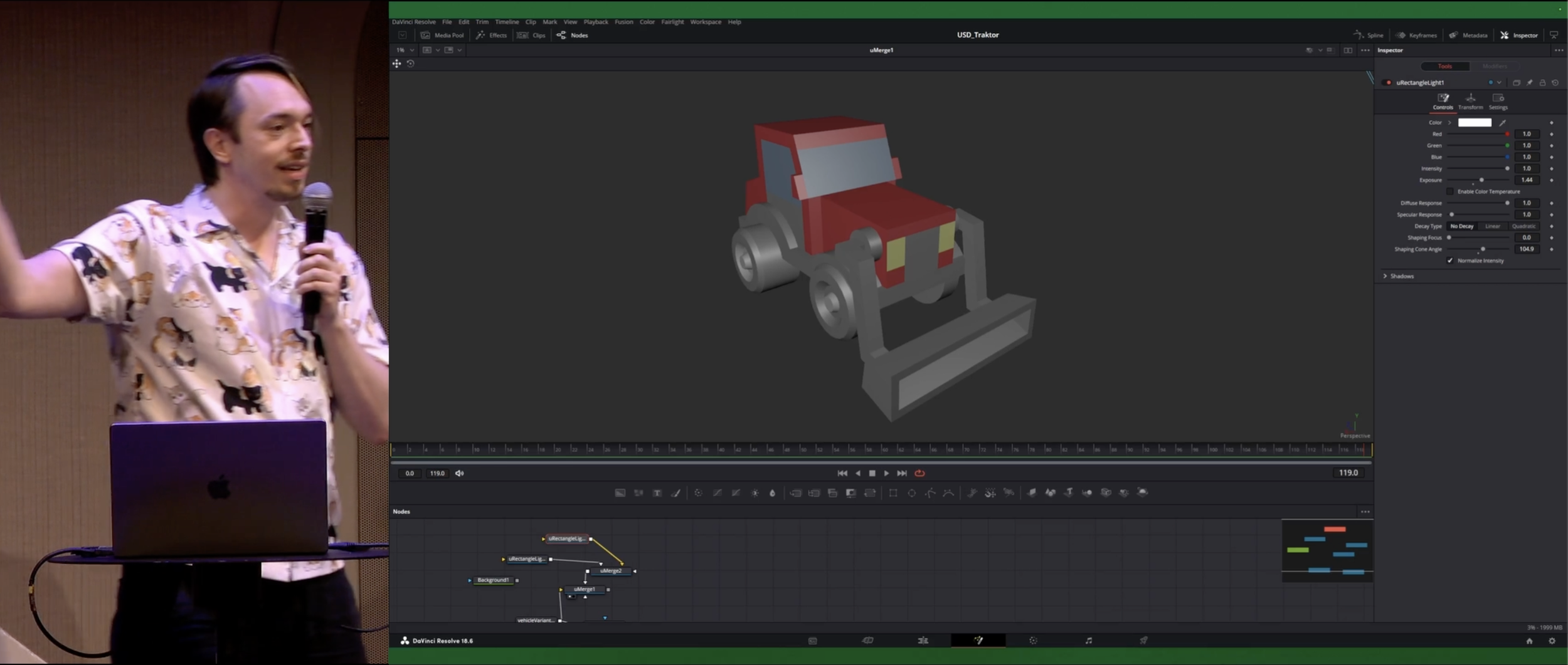
So, USD is “Universal Scene Description.”. It is an open-source file format, and literally the exact same USD file is open in every editor I just showed.
And the thing is, USD feels complicated, right? But I'm here to tell you:
Don't worry about it.
For example, let me explain USD to you in human terms.
Open USD is an API. Don't worry about it.
USD is a file format. For 90% of people, you're happy, you're good. it's a file format, don't worry about it.
USD uses a system of layers. Don't worry about it.
Layer = File. USD layers are just USD files.
USD layers are displayed on a stage. Don't worry about it.
USD files load as an asset. You're loading assets.
USD has composition arcs. Don't worry about it.
USD has references and some references are special. It's real simple.
USD layers have opinions on prims. Don't worry about it.
USD files have objects with properties that you can override. You can override properties.
USD has composition arcs to combine layers and scene descriptions into a unified stage. Don't worry about it.
USD files reference each setter to load together. It's simple. Let me show you how is a USD used.
Let's say we have a wheel geometry file and then we have a material file. We combine those into a file that is has a material on a geometry. Then we have for example a car file and then we add that material to there and now we have a car with material on it. And then we combine those together and we have a car, we just reference the wheel four times.
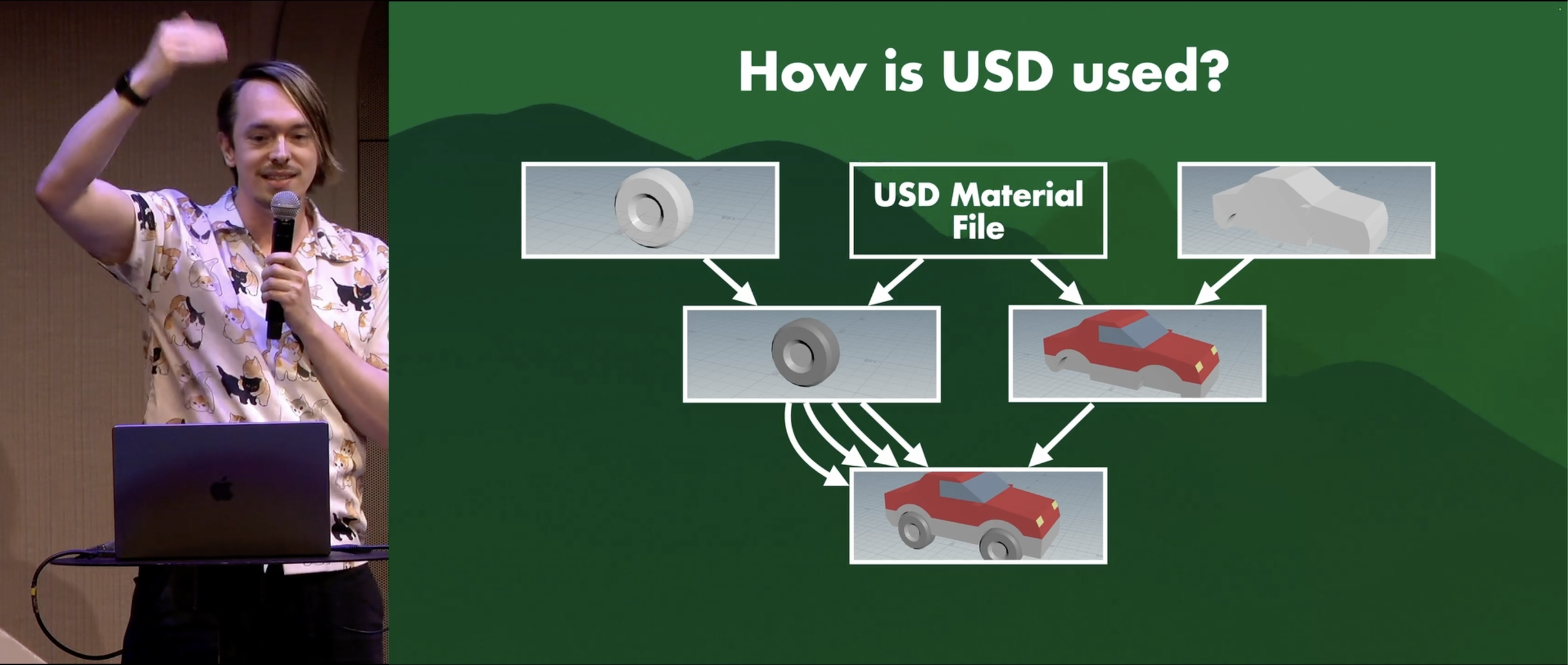
So the interesting thing to know here is that each box you see is a separate USD file. It's a separate USD layer, which is separate USD file. Which means if I change, for example, the wheel all the way at the beginning, that changes the final result..
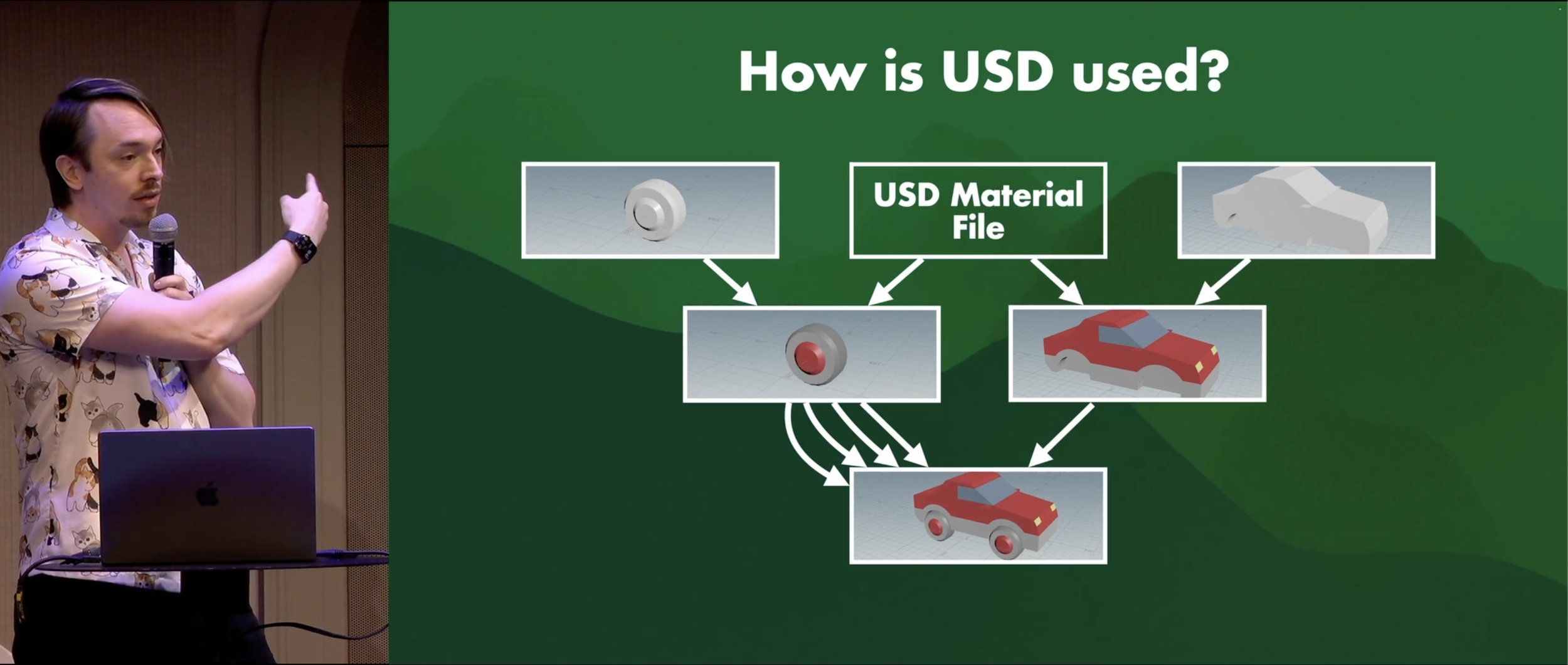
It's non-destructive editing. That's USD. It's just it's non-destructive editing. It's real simple.
So why not use glTF for FBX? People ask that a lot. It’s because USD has non-destructive editing between references. That's it. That's really it. That's why people are using it.
Now, composition arcs use LIVERPS to resolve opinions. Don't worry about it.
Some references overwrite other references. That's all you have to know.
USD also has different file types. USDC, USDA, and USDZ. Don't worry about it.
USDC has a small file size. USDA is easy to debug. USDZ is one zip file with all the files in it. That's the difference between them.
USD is made for movies. Don't worry about it.
For example, the folks from Embark gave a really really good talk at GDC and also at the Everything Procedural Conference, about using Houdini, Unreal, and USD for their entire character pipeline in The Finals and ARC Raiders, and it works great for them.
USD isn't made to be imported and exported. That's weird, but don't worry about it.
Because for example, usually you have a DCC (Digital Content Creation tool) like Blender, Da Vinci, Houdini, and whatever your engine is, and usually you have a file with an asset in it. And then you export that file, and import it elsewhere with a little bit of data loss. Then you do it again, with a little bit of data loss. You do it again, with a little bit of data loss. This is bad. Don't do this with USD. That is not how USD is supposed to be used.
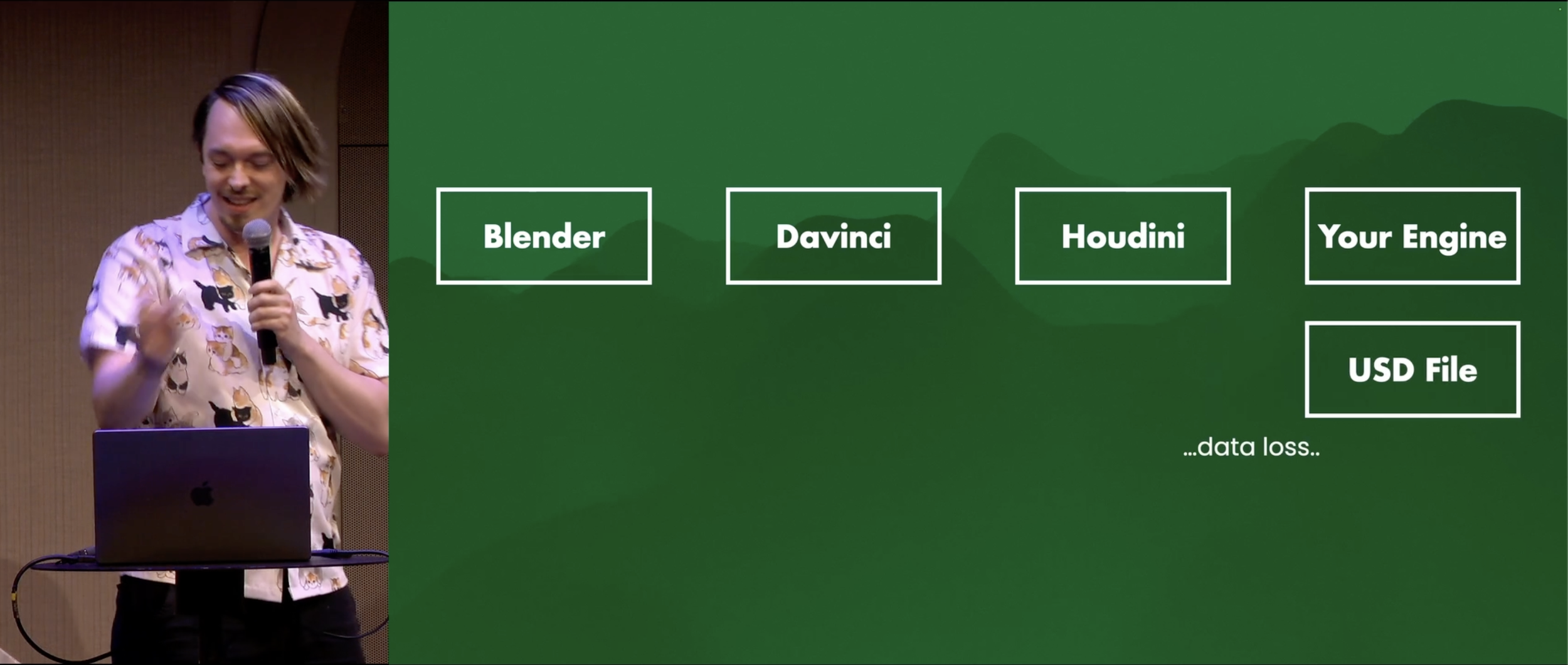
The way you use USD, is that you have a USD file for each DCC, for different people working on different things, and then you just reference them all together in whatever your final result needs to be. So you are never importing and exporting. It's all references. It's non-destructive editing. There's no data loss. It's great.
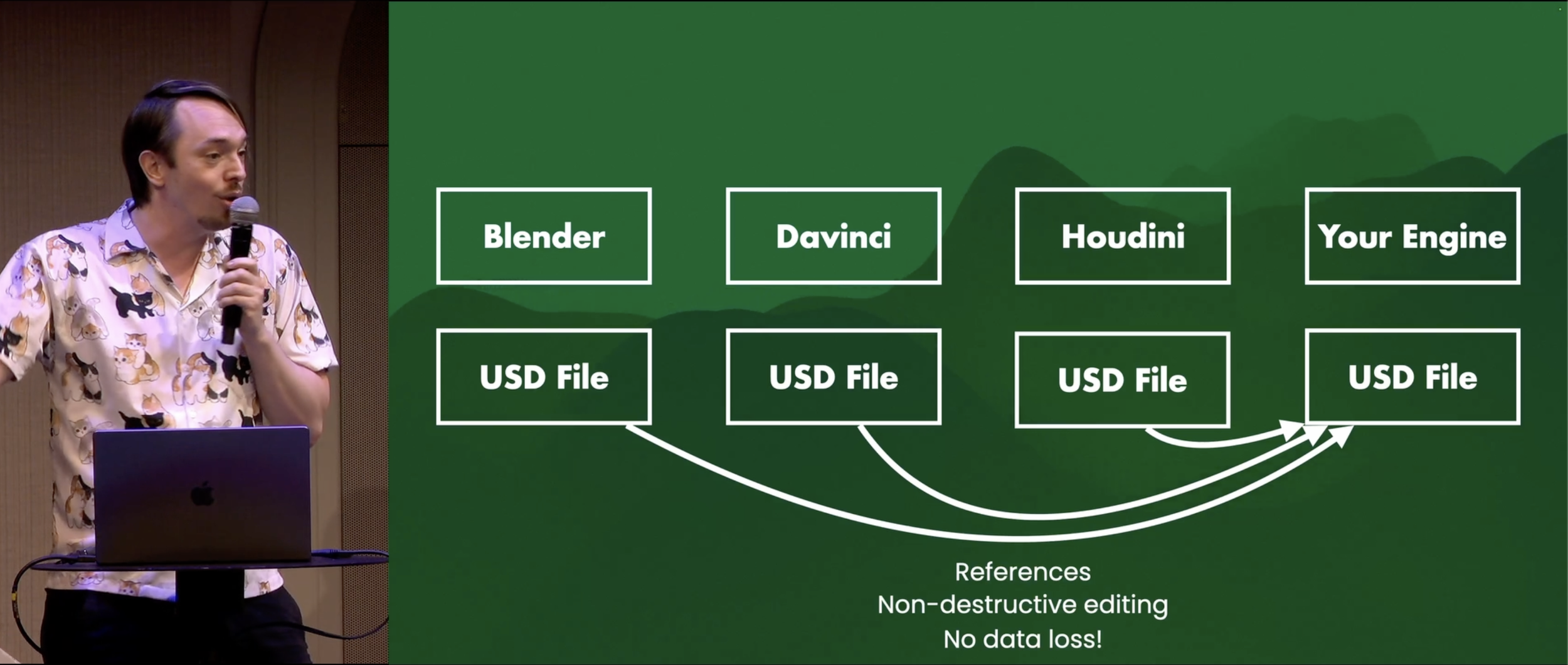
Building a USD import←→export pipeline in Blender is building the wrong USD workflow. This is why Houdini has its own USD environment called Solaris, which is purely USD, so that there is no importing or exporting, you're just referencing USD files.
So I am not saying Blender has to build a unique USD environment (Unless you want to, and I would be happy to help).
I am also not saying you have to use USD. If you want to, great. If you don't, that's also fine. I get it.
But I am saying USD is easy to understand. You know, don't worry about it.
Now, if you want to learn more about USD, you can join the USD community. The biggest one being the Academy SoftWare Foundation (ASWF) Slack. In there are a whole bunch of people talking about USD, from all kinds of companies, and it’s a great time.
Now, do you want to try out USD? Don't worry about it.
I released some CC0 licensed free USD vehicle example assets. They are one megabyte large. They are really simple.
Also shout out to Kenney.NL as I used some OBJ assets from him, and made them into USDs.
Addendum
Here is a bit of text that is not in the video, but I wrote after the conference. This lightning talk is one I did not know I would give until I literally arrived on the first day of the conference, when I heard there was a lighting slot open, applied, and 36 hours later I would have to give the talk. I did not have my laptop with me at the conference though, so I made it at home, in the span of about 4 hours. I sadly had to use Google Slides for this, as that is how the lighting talks were run, but I really dislike Google Slides as it does not cache any slides, so every time I changed slides it would flashing the entire audience with a frame of white. This has been an ongoing issue with Google Slides for years, and I cannot fathom how they haven’t fixed this yet, especially considering Chrome is happy to grab 8GB of your RAM anyway!
Also, some folks have asked how I loaded USD in Godot, and I did this with a plugin made by Miguel de Icaza, which he made after I introduced him to USD at Godotcon 2026 in Amsterdam.
And, some folks asked why there is data loss with importing and exporting USD. It is likely due to the amount of plugins currently required to use USD in all those various DCCs. Every company decided to focus on a different subset of the thousands of USD features, and most plugins are still in beta, which means you cannot properly import and export USD between many DCCs.
I have had an overwhelmingly positive reaction to this talk, which I am very happy about. I wanted to make people laugh, and also think, which I achieved. Many folks afterward told me that they are less worried about USD now, and that it does seem much simpler, which I am very happy about. This problem of perceived complexity is one I see recurring with USD, which I also outlined in my GDC 2026 OpenUSD Roundtable notes, where I noted that USD keeps getting functionally and technically better, but at the same time it does not become easier to understand for artists and designers. We can build world’s most amazing software architecture, but that only gets you engineers and technical users. If we want USD to succeed, and I want it to, then we have to make USD easy to understand for non-technical users. If they cannot easily build 3D art, then what is the software architecture even for?
Currently, if you read through the OpenUSD documentation, there is a problem of chicken and egg, where to understand one term, you have to understand the other. This also becomes a big issue inside companies, where folks nod along even if they do not understand, sometimes because they think they understand, but they really don’t. Then weeks or months later, the wrong features got built, and it’s all because the communication around USD makes it tough due to its technical nomenclature.
I am not saying we have to change the nomenclature. It has to stay the way it is, because having very specific technical definitions is very important for software architecture. But, we have to have simplified ways of communicating too, such as calling Composition Arcs simply references, or calling Opinions on Prims simply variables that can be overridden on objects. That is not technically correct, but it does the job of explaining the system in human words that most non-technical folks in the 3D space can understand. If someone has learned to build 3D models, that simplified language is fine.
I hope the success of this talk provides an argument for this simplification, and for explaining USD in human terms instead of technical terms to a wider audience. I will keep releasing videos & articles whenever I can, but if anyone is putting more effort into the UX and tool design of USD workflows and pipelines: Please let me know! I am happy to help out with UX design, work on assets, test workflow, and find ways to better explain USD to a much wider audience.
Thank you
Thank you very much! You can subscribe to see more articles in the future, and follow me on LinkedIn, Bluesky and Mastodon.
Massive thanks to Nicole Gransitzki and Chris Hanney for their sanity checking!
The original footage was recorded at Blender Conference 2026, organized by the Blender Foundation. I highly recommend visiting it, as it is a perfectly organized conference. For this footage I have edited the slide transitions due to the original presentation having flickering due to Google Slides issues, and I have re-uploaded this fixed version here, with permission. Thank you!